Showing posts with label creativity. Show all posts
Showing posts with label creativity. Show all posts
Friday, May 8, 2009


Wednesday, May 6, 2009
Screencasting (MToaS 38)
 Okay, I think I've found the MToaS equivalent to GoogleDocs. I love screencasting. Bit of a learning curve here: the screencast below doesn't look as good on YouTube as it did on ScreenCast, so I need to rethink the screen size. Other than that (and my messy narration) I'm pleased with it.
 I've done three or four training Power Points for work as part of different GRRL teams. Screencasts could be a great addition to those.
Also, I really like Skitch. Too bad it's Mac only. It is so much easier to use than the Windows-based print-screen command. I spent hours doing screen shots for the power point I made for our Internet for Seniors training... Skitch would have cut that time considerably.
The obvious problem, however, is the Mac vs. PC thing.
Regardless, thanks MToaS folks. These are great tools!
Tuesday, May 5, 2009
Playing with Pics (MToaS 37)
 First, true confession: I'm the one who brings a camera along to a birthday party, leaves it in the car, and then, when the party is over, as I'm heaving my tired self into the driver's seat (purse, keys, water bottle, over shirt and ball cap spilling out of my hands) spontaneously shouts out "dammit!" when I see the camera case on the floor by the back seat.
In other words, I don't have many pics that I would want to upload onto Flickr, on the off chance that someone might actually look.
My sister Sherri is a brilliant photographer. She's sent us pics of her sons (I have the cutest nephews known to aunti-kind), panoramas of the high plains where she lives, close-ups of flowers and bees... all gorgeous shots. She's really an artist. Me, not so much. I'm more pragmatic than gifted when it comes to photos.

That said, it was fun to mosey around these picture sites. My Animoto experiment is below (the nicest thing about it might have been the ease with which it uploaded into Blogger). I did make a photo collage using Collagr (and some garden pics I uploaded last year for 23 Things). But, you know, it just really wasn't that interesting.
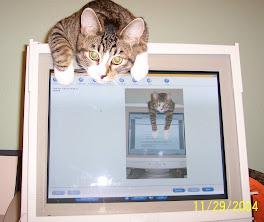
I did use Tiltshift to make the top pic of my cat Rosie a tad more interesting. I also used roflbot to create the captions. (I tried to use CaptionBubble but it wouldn't work for me. I'm wondering if there is a Mac vs. PC issue?)
So, all cool stuff. But I can't help wondering about the limitations.
We had a staff meeting today and learned that there are very stringent copyright rules for the Summer Reading Program graphics, wording, etc. So can we use these tools with any of them? I'd guess no.
We also have new branch pages for the GRRL web site (great new site) but I'm not sure whether we'll be able to add pictures or java script to our pages.
My lovely Gabi is a teacher, and I share many of these tools with her. But she's discovered that she can't use many of them for teaching because she can't access them from school. The school district has set such stringent limits on types of websites that can be accessed from school computers ~ including teacher's computers ~ that many of these great tools are little more than fun/cool/pretty things to think about.
That said, I do see lots of opportunities here. Just got to muddle a little more about how to actually put them to use.
Friday, May 1, 2009
Generating Some Fun (MToaS 36)

I love the poem by ee cummings, In Just Spring, and so I used the Wordle image generator to make a wordle of the poem. Very fun. These are silly things, but they are rewarding and entertaining too. For one thing, each of us who writes these blogs is hoping that someone else will read them. Adding wee bits of entertainment can help.
If we write blogs for our libraries, or have branch home pages (as GRRL will very soon!) these might be fun things to add as well. So while they are silly on the one hand, I think they can be useful as well.
I've also thought these would be great fun for publicizing and promoting programs. I love the idea of making READ posters with library staff, community members, etc. Also, the newspaper article generator was great fun, as was the dictionary entry generator. I can think of many ways that we could use these tools to make our programs, blogs, web pages, etc. much more entertaining, and therefore to generate more interest in what we're doing.
I tried making the comics. Made one on MakebeliefsComix that I liked well enough, but couldn't export it. Then I remade it on ToonDoo. First I used the regular embedding and couldn't figure out how to resize it to make it fit the screen. The second time, I embedded as Flash code and that worked better. So, fun, but more cumbersome than I would have expected. All the same, it is very gratifying for me to see my story made visual!
***
Update (an hour later): Made another comic; it went faster/better. Also, stumbled upon the comics by poesygalore do check her out! Her stuff is too funny!
Subscribe to:
Posts (Atom)

 Posts
Posts